Download
Download PinBoard
Pick your computer below and the download starts straight away. No account, no sign-up.
PinBoard is an app for computers. It runs on Mac, Windows and Linux, not on phones or tablets. Send this page to yourself and open it on your computer.
Which Mac do I have? Click the Apple menu, then About This Mac. If it says Chip (Apple M1, M2 and so on), pick Apple chip. If it says Processor (Intel), pick Intel.
Opening PinBoard on a Mac
Double-click the .dmg file in your Downloads folder. In the window that opens, drag PinBoard onto the Applications folder.
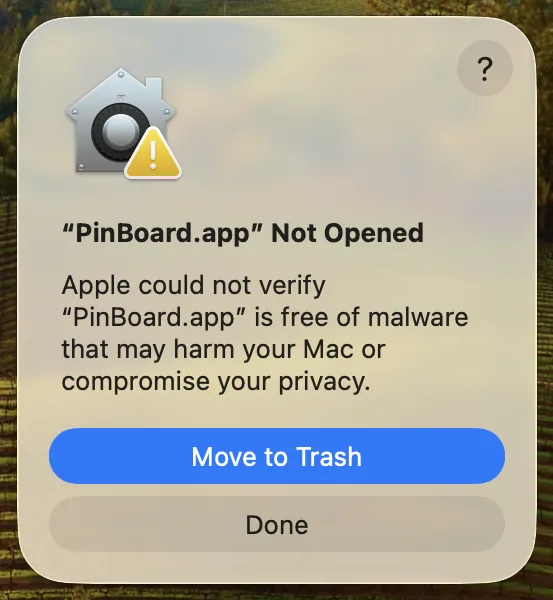
Open PinBoard from Applications. Your Mac says "PinBoard" Not Opened. Click Done. Don't click Move to Trash.
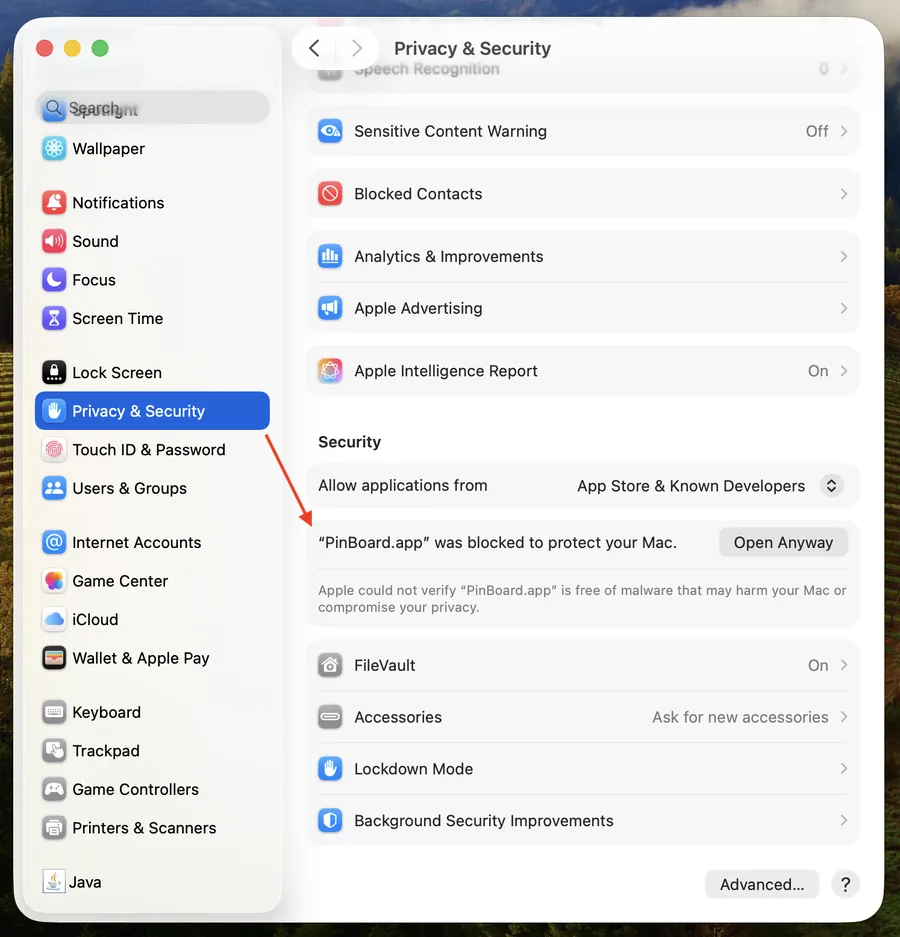
Click the Apple menu, then System Settings, then Privacy & Security. Scroll down to the Security section. You'll see "PinBoard" was blocked to protect your Mac.
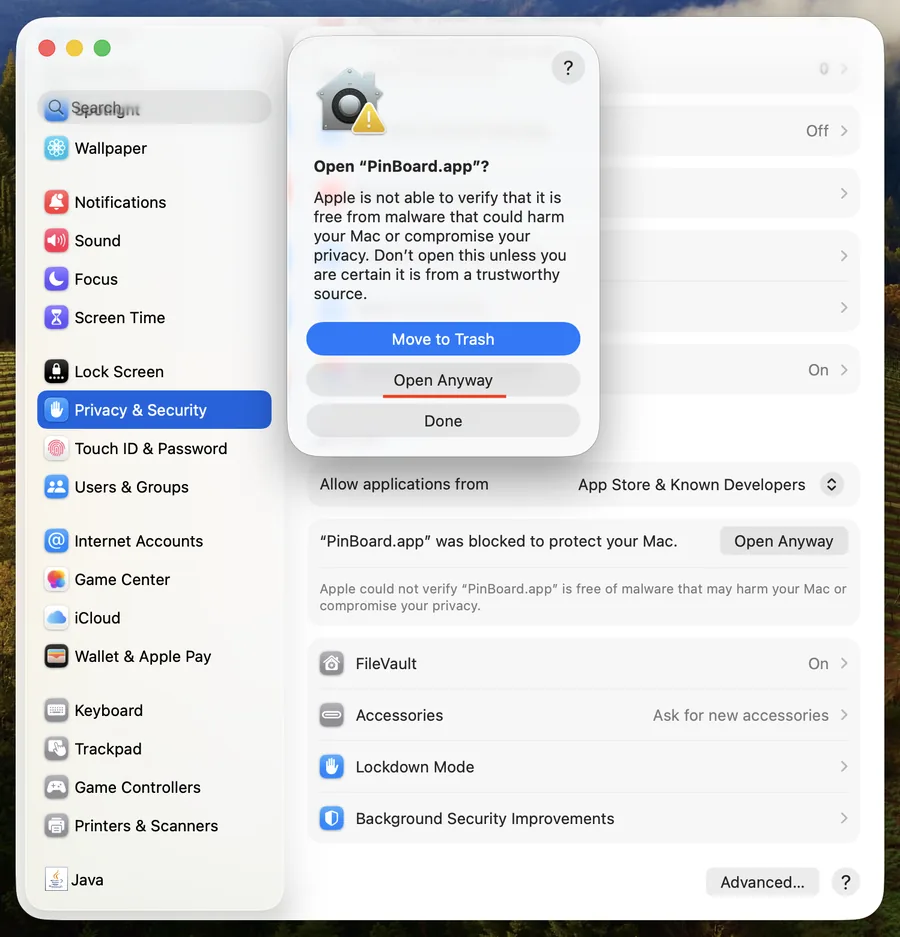
Click Open Anyway, then Open Anyway again in the box that pops up, and enter your Mac password or use Touch ID. PinBoard opens, and from now on it opens like any other app.
Mac says PinBoard isn't supported on this Mac? That's the Apple chip version on an Intel Mac. Download the Intel version above instead. On macOS Sonoma or Ventura you can also Control-click PinBoard in Applications, choose Open, then Open again. More help in opening PinBoard on Mac.
Installing PinBoard on Windows
Open PinBoard Setup from your Downloads folder. If your browser warns about the download first, choose Keep (in Edge: the three dots, Keep, then Show more and Keep anyway).
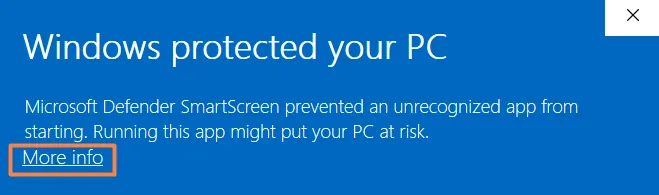
On the blue screen, click More info, the small link under the message.
A Run anyway button appears, with PinBoard named as the app. Click it and PinBoard installs. Afterwards it's in the Start menu and opens normally.
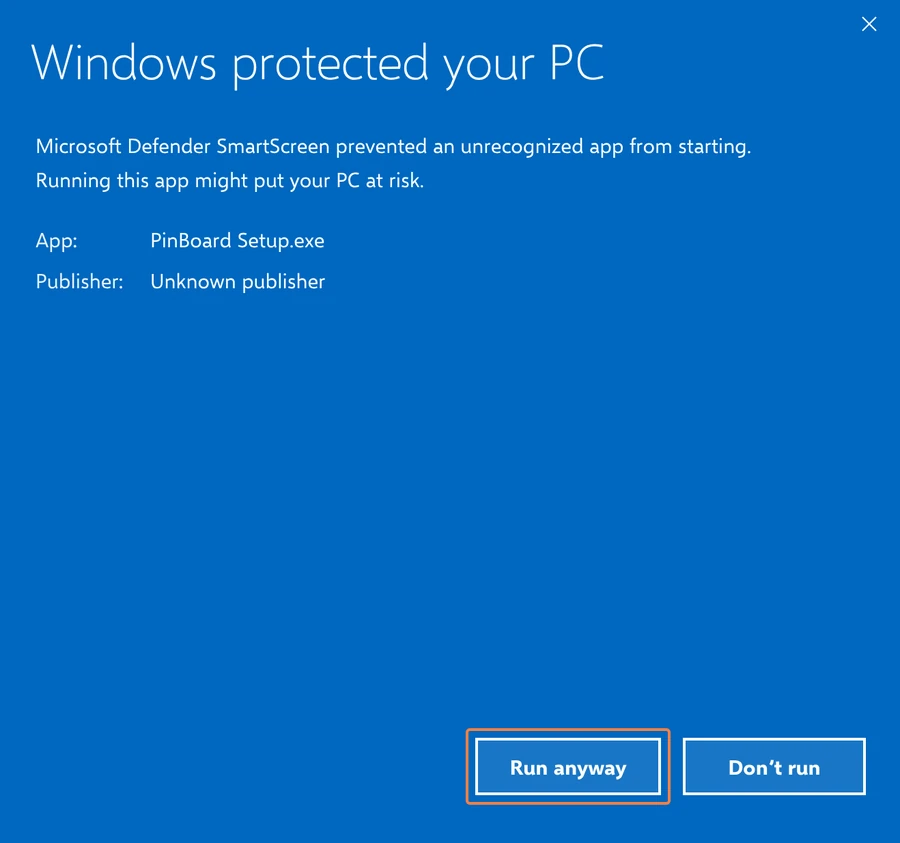
Installer gone from your Downloads folder? Your antivirus may have moved it. More help in installing PinBoard on Windows.
Running PinBoard on Linux
Right-click the .AppImage file, open Properties, then
Permissions, and tick Allow executing file as program. Or in a
terminal: chmod +x PinBoard-*.AppImage
No installer and no setup. Keep the file somewhere permanent, like ~/Applications.
More in the Linux guide.
Free to try, $19 once for everything
The free version saves the first 25 pins of any public board. PinBoard Pro unlocks whole boards, GIFs, videos, private boards and automatic backups, on up to 3 computers. No subscription.
Buy PinBoard Pro